 Luttie
Film emulation
The film engine
How Luttie's film emulation works — negative stocks, print or scan, camera log sources, exposure, printer lights, crosstalk and strength.
The Film panel runs your image through a model of how colour film works: light exposes a negative, and the negative is then either printed onto print film (as cinema did) or scanned (as photo labs do). The look comes from those two stages, not from a colour filter laid on top.
Grading with the film engine is free. Exporting the result as a LUT is part of Pro.
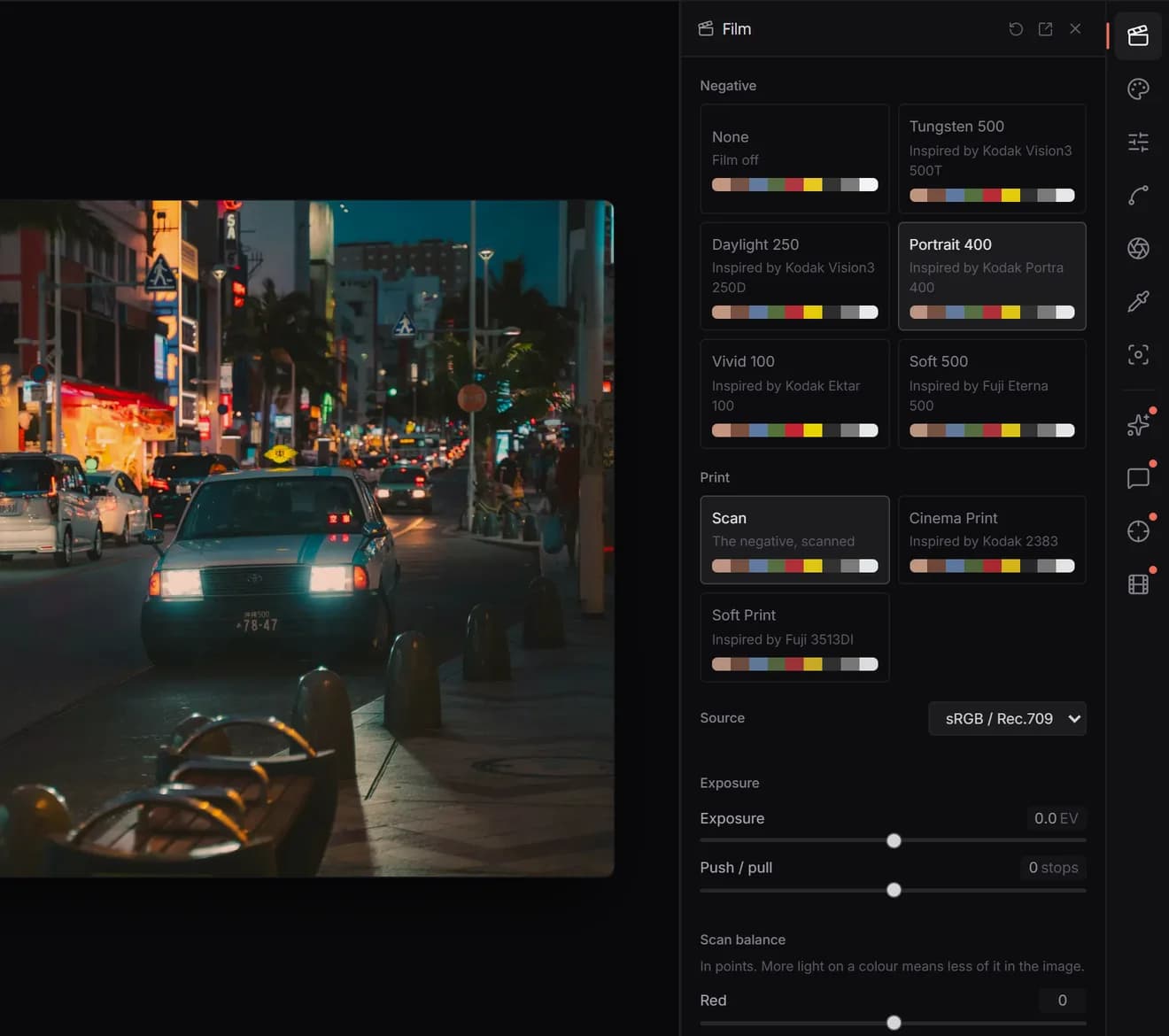
Negative
Pick a stock and the film engine switches on. None switches it off. Each stock is Luttie's own, shaped after the published curves of the film named under it:
| Stock | Inspired by | Character |
|---|---|---|
| Tungsten 500 | Kodak Vision3 500T | Night and interiors; soft toe, clean cool shadows |
| Daylight 250 | Kodak Vision3 250D | Daylight exteriors; neutral and clean |
| Portrait 400 | Kodak Portra 400 | Low contrast, warm skin, pastel highlights |
| Vivid 100 | Kodak Ektar 100 | Saturated, punchy colour |
| Soft 500 | Fuji Eterna 500 | Muted colour, gentle contrast |
These are models, not measurements of real film. Luttie isn't affiliated with Kodak or Fujifilm.
- Cinema Print (inspired by Kodak 2383): the contrasty, dense-black projection look, with cool shadows and warm highlights.
- Soft Print (inspired by Fuji 3513DI): gentler contrast and saturation.
- Scan: no print. The softer look people know from film photography.
The print matters as much as the negative. Try the same negative through all three.
Source
Tell the engine what your image is:
- sRGB / Rec.709 for ordinary photos and video.
- Sony S-Log3, Canon C-Log3, Nikon N-Log, Apple Log, Apple Log 2 or DJI D-Log for log footage. The engine decodes the camera's log curve and colour gamut first, so there's no separate conversion LUT to add. See Log footage.
Exposure
- Exposure, in stops: film responds differently from a digital slider. More exposure lifts the shadows off the film's toe and turns colours pastel; less sinks them.
- Push / pull: development in stops. Pushing adds contrast, pulling softens it.
Printer lights (Scan balance when scanning)
Balance colour the way a lab did, in points:
- Red, Green, Blue: more light on a colour means less of that colour in the image. More red light gives a cooler result; more blue light, a warmer one.
- Density: all three together, for a darker or lighter print.
Crosstalk and Strength
- Crosstalk controls how much the negative's dye layers interact, which is where each stock's saturation comes from. 100 is the stock as modelled; lower is more muted, higher more vivid.
- Strength mixes the film result with the image going into it. 100 is the full effect.
Where to go next
- See every stock on your own photo at once with the free Film Simulator.
- Stock-by-stock guides: Portra 400, Kodak 500T and CineStill 800T, Kodak 2383, Ektar 100, Fuji Eterna.
- Add grain and halation with Film Effects.